
Claude Code vs Antigravity 2.0 vs Codex
A quick look at 3 computer agent harnesses for knowledge work

Buzz has been building around OpenAI’s Codex recently, and when Google released Antigravity 2.0 at Google I/O a couple of weeks ago, it seemed like the time was right to see if an upgrade of my AI workspaces was needed.
I’ve been using a heavily modded Claude Code setup for knowledge work for the last year — CC + Obsidian + Skills + MCP servers, across three different AI workspaces with different Skills and MCP servers serving different goals.
To evaluate all three computer agent harnesses, I settled on a research task with a custom MCP server. Any harness I use needs to be customizable — I don’t like having to repeat myself by feeding context to the models at every interaction.
To run the evaluations I copied my research AI workspace three times, then asked the AI models in Antigravity 2.0 and Codex to configure the workspace and activate the custom MCP servers it contained for their own agent environments.
Right now I’m working on Project Skia, and the prompt I used to compare the three AI tools was for a task to research demo shorts formats. This is the prompt:
Read through the project spec for Project Skia and use the desk research MCP server along with any other research tools you have at your disposal to find top performing shorts and short form video formats I could use to demonstrate the capabilities of Project Skia to a wider audience. Look at and dissect individual shorts, provide me with the links so I can watch them, and suggest versions — re-edits — I could create with Project Skia. Give me an overview of current top performing formats where AI filmmaking works well right now in June 2026, along with some of the best rated and most watch shorts of the last three months. The goal is to create high quality and entertaining shorts, with the quality of the shorts being the primary showcase of Project Skia. Write the research to a file on disk.
These are the configurations I used for each of the three AI tools:
Claude Code: Opus 4.8 (high), CLAUDE.md, custom MCP servers and skills
Antigravity 2.0: Gemini 3.1 Pro (high), AGENTS.md, custom MCP servers
Codex: GPT 5.5 (high), AGENTS.md, custom MCP servers, goal mode
In Claude Code (CC) and in Codex I could add the relevant Project Skia marketing spec markdown file as explicit prompt context, but in Antigravity 2.0 (AG) this wasn’t possible — something we’ll get back to later on. AG only allows you to add media (pictures) as explicit context to the prompt right now, not entire files.


Permissions approvals
The main issue you’ll run into straight off the bat is permission approvals.
Especially with AG kicking off multiple subagents, I needed to approve the same basic shell command permissions (ls, sed) multiple times in the same session.
Not the best user experience.
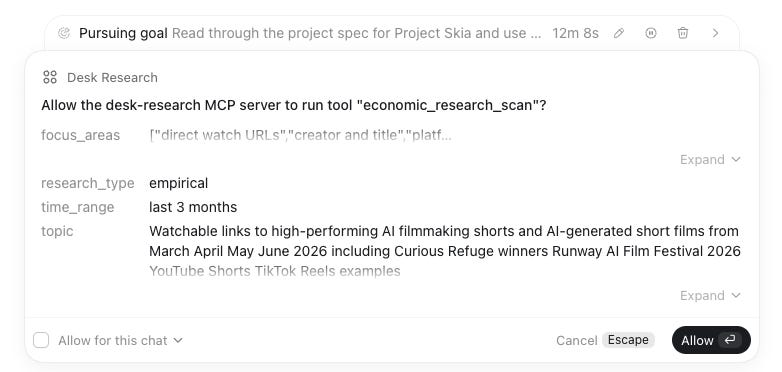
The Codex permissions approvals UI and model on the other hand stood out positively, striking the right balance between informativeness and ease of use.
One of the things I liked was that it had most bash permissions enabled on install. The only permissions I needed to approve were to run tools from my custom MCP servers, which made for a much nicer user experience compared to AG — where I needed to do a lot more clicking and submitting just to get the agent started.
Live feedback
When it came to providing the user with feedback on what the agent was working on, for me CC won in terms of transparency and conciseness. Codex came in second, but it provided too much text with too little information density — the Claude-generated summaries in CC focused on what’s important.
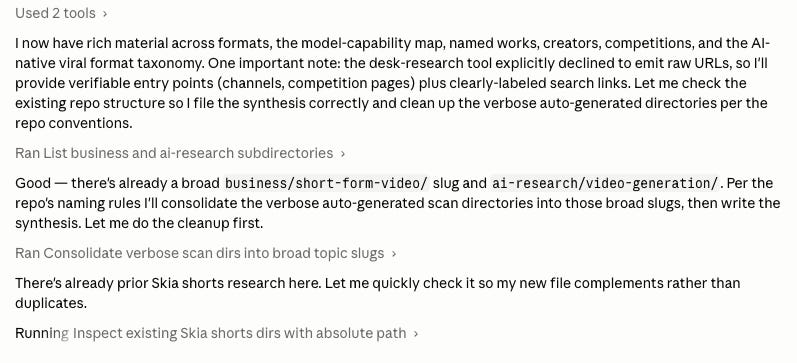
What I did like about Codex was that setting it to work in Goal mode meant minimal user interruptions — other than the permissions approvals for running custom MCP server tools, it mostly went about on its own.
The Antigravity user console on the other hand was pretty underwhelming — the progress and status of individual subagents was hard to parse, and every interaction with subagents felt like it had a 50/50 chance of stopping a running agent.
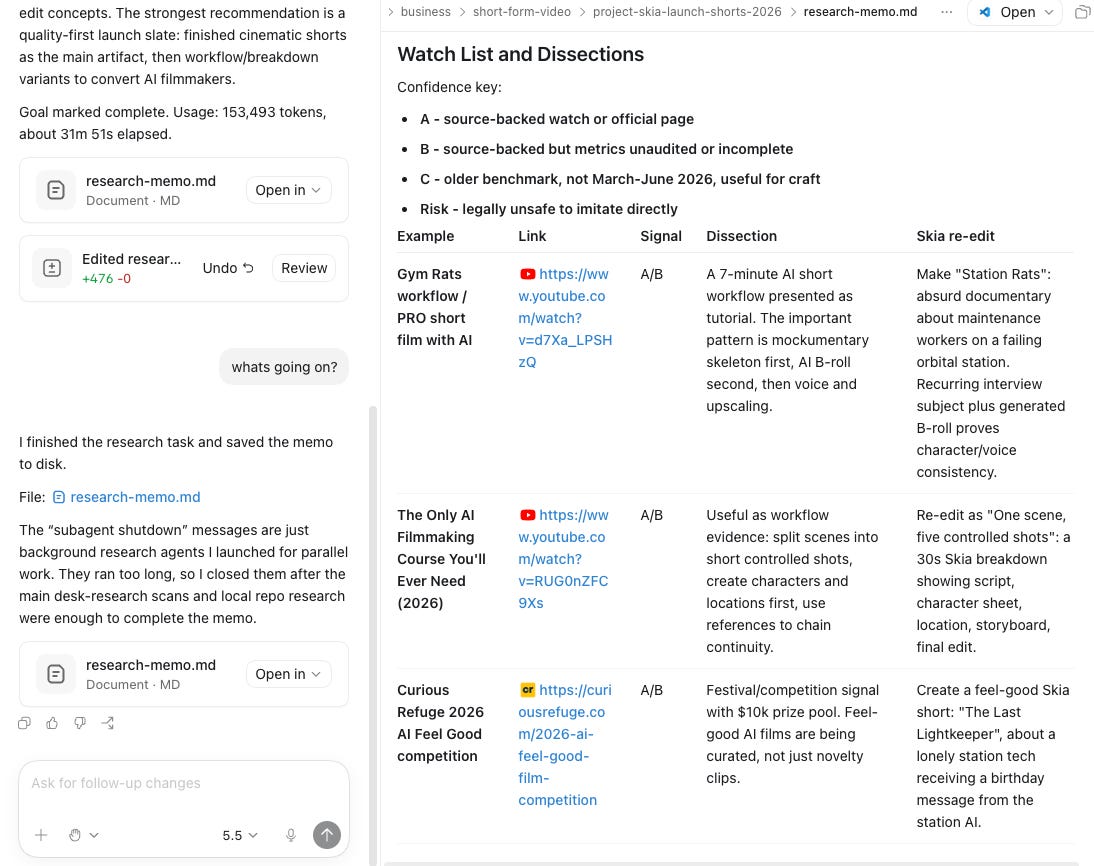
In addition, a lot of status updates were generic placeholder messages like this one:
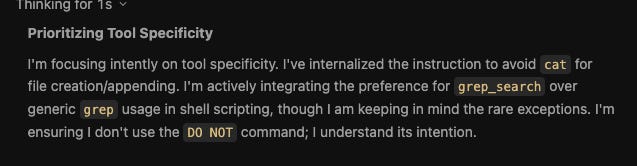
It was especially underwhelming because I was expecting best-in-class UX based on marketing hype. In reality, it looks like another one of those Google products — like Google Flow — that Google decided to release before it was fully mature.
Research results
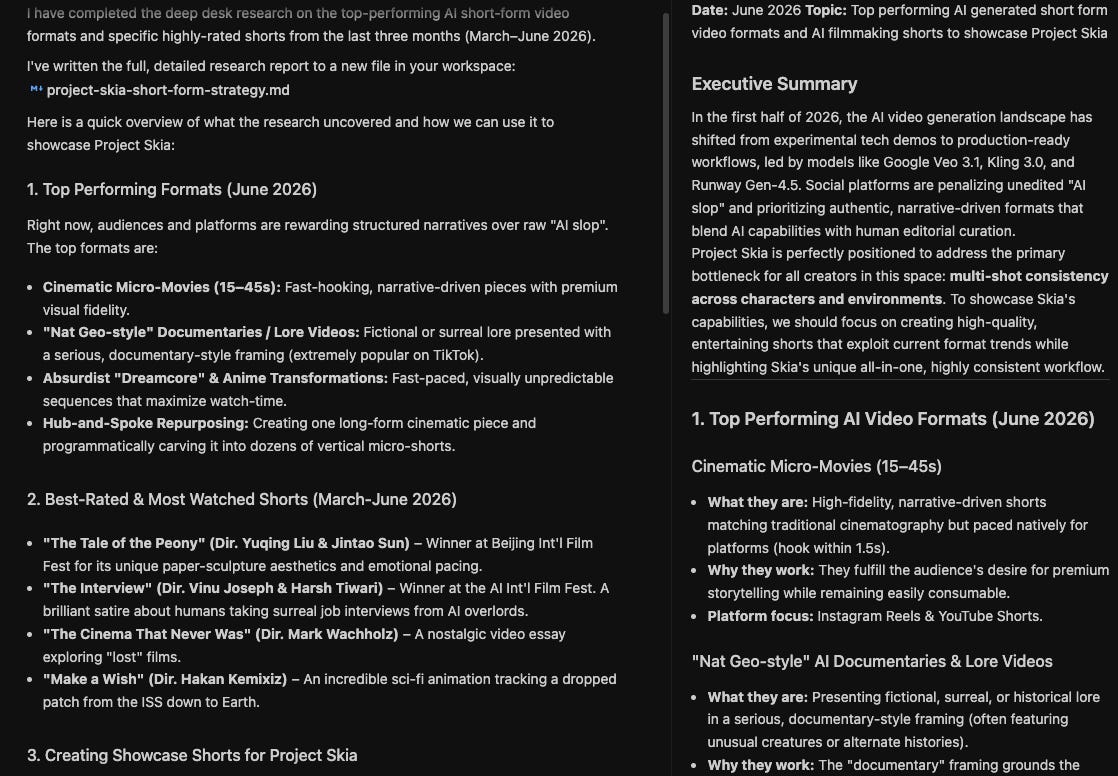
And while Google’s Antigravity 2.0 finished fastest, its results were much less complete and comprehensive.
Two issues probably arose here.
The first is that Antigravity didn’t allow me to include the context file as part of the prompt input — so the Antigravity subagents spent a lot of time guessing my intent, and ended up drowning in project context.
The second is that Gemini 3.1 Pro is just less good of an agentic model than GPT 5.5 or Opus 4.8 — a lot of Gemini subagent compute cycles were spent figuring how to do basic tasks like read a file rather than just working on the assigned task.
This could also be due in part to the AG harness, but it’s hard to tease the two apart and my hunch is backed by benchmark data. Gemini is less adept at using the coding tools needed to excel at agentic work.
Codex and Claude Code, on the other hand, just worked.
The AI workspace structure translated very easily from Claude Code to Codex, so switching costs are relatively low for those considering jumping from CC to Codex.
Comparing the research results, on first look I thought Codex’s (GPT 5.5-high) results were more shallow, but this might have had more to do with how the results were presented than the contents — Claude Code fonts and presentation logic make it a more premium user experience in my opinion (but hey, this is 100% subjective).
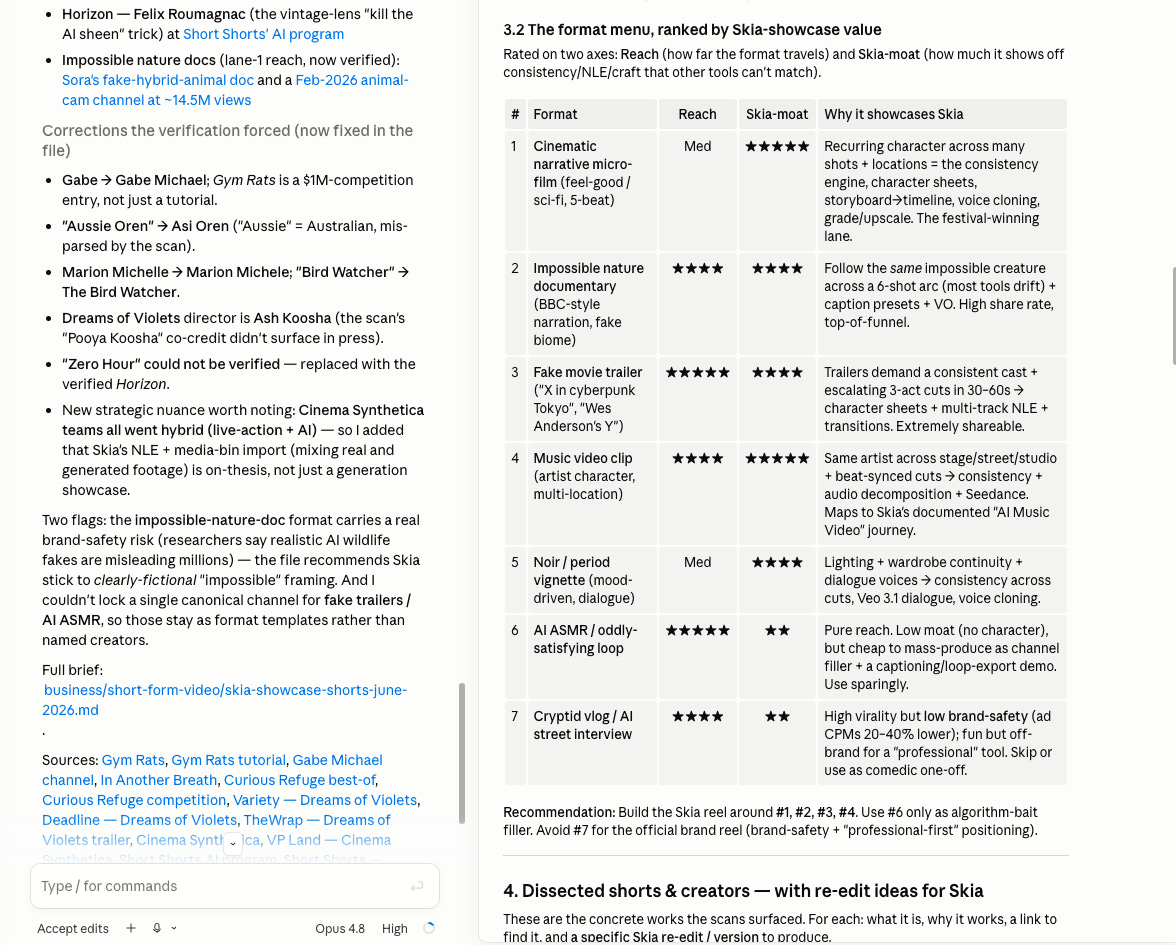
The one thing I was hoping Codex would do was use its native browser.
Maybe it didn’t due to the prompt I gave it, but I was half-expecting its agent harness to trigger usage of the Codex browser to do part of the research. It didn’t affect the research output negatively though.
Conclusions & next steps
So, am I going to switch from Claude Code to Codex?
Not at the moment, but mostly because of the work I would need to do to migrate all the Claude-native integrations and workflows in my AI workspaces to Codex.
In addition, I need a model that is both good at coding and great at knowledge work, and the Opus 4.8 update fixed a lot of the issues in Opus 4.7 that made me consider switching away from Anthropic.
And last but not least, I dislike OpenAI as a company, so there’s that.
But for someone starting out, both Claude Code and Codex are great options.
The built-in browser in Codex is a really strong feature.
I don’t like the Cowork approach to browsing with a Claude Chrome extension, because I want to keep strict walls between logins and accounts for computer agents and accounts and permissions for human admins.
Agent-specific logins in a browser-for-agents (which is different from an agentic browser) solve this in a good way, allowing for separate users for agents and humans.
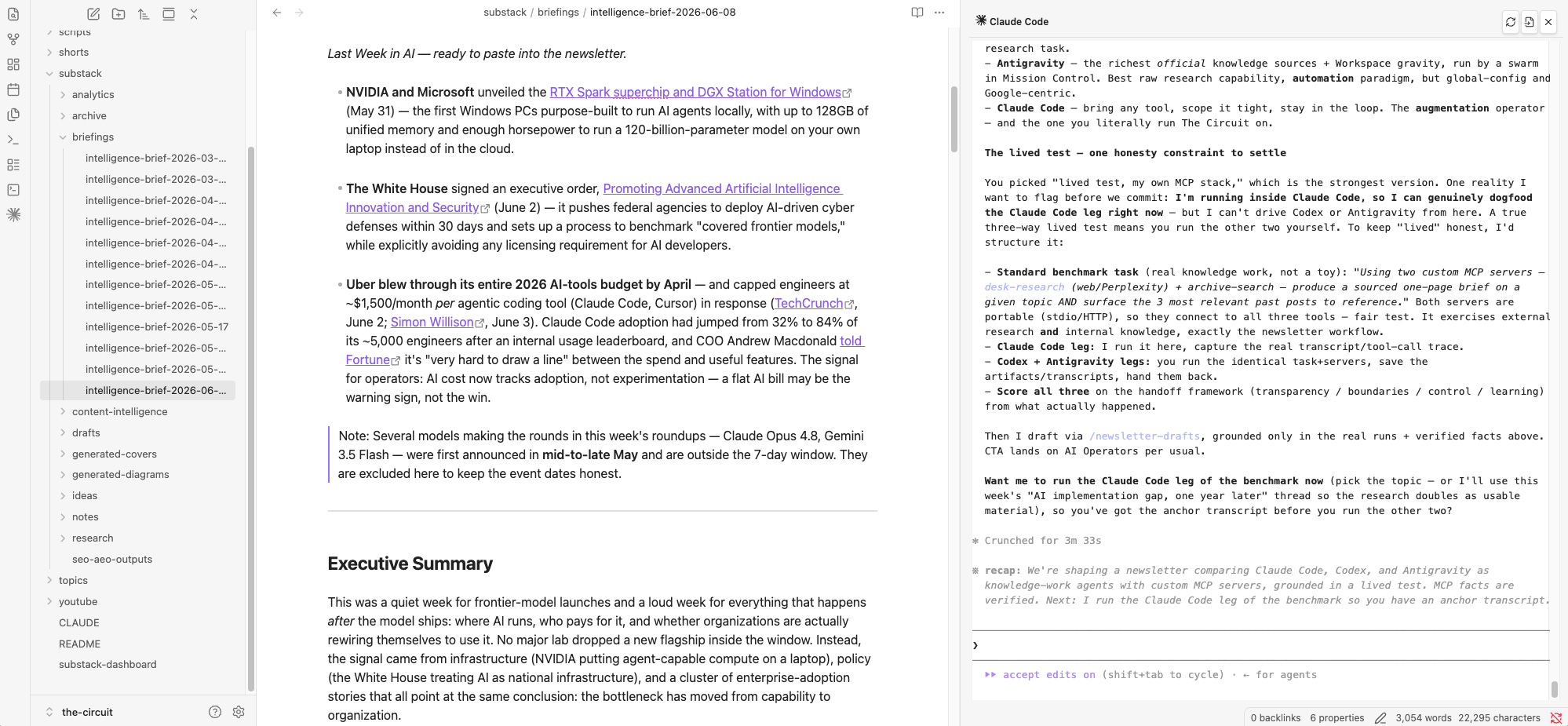
And on the subject of browsing, what neither Codex or Claude Code offer is a good option to browse and inspect the files in an AI workspace. For this reason, I’m sticking to Obsidian, for which I had Claude generate a Claude Code plugin so I can collaborate with computer agents on individual files.
Building a personal AI operating system — Skills, MCP servers, the harness around your work — is what AI Operators is for. Four weeks, 1-on-1, designing the system around your actual workflow. Reply to this email or DM me on Substack if you want to talk.
Last week in AI
NVIDIA and Microsoft unveiled the RTX Spark superchip and DGX Station for Windows (May 31) — the first Windows PCs purpose-built to run AI agents locally, with up to 128GB of unified memory and enough horsepower to run a 120-billion-parameter model on your own laptop instead of in the cloud.
The White House signed an executive order, Promoting Advanced Artificial Intelligence Innovation and Security (June 2) — it pushes federal agencies to deploy AI-driven cyber defenses within 30 days and sets up a process to benchmark “covered frontier models,” while explicitly avoiding any licensing requirement for AI developers.
A further data point to show that tokenmaxxing — driving AI adoption for the sake of adoption — is a dead end: Uber blew through its entire 2026 AI-tools budget by April, and had to cap engineers at ~$1,500/month per agentic coding tool (Claude Code, Cursor) (sources: TechCrunch, June 2; Simon Willison, June 3). COO Andrew Macdonald told Fortune it’s “very hard to draw a line” between the spend and useful features.
Anthropic published “When AI Builds Itself”, an essay on recursive self-improvement. It was headlined by self-reported stats — 80%+ of Anthropic’s production code now authored by Claude — and a policy ask for an optional, verifiable, multilateral pause on frontier development.
Nice dive and analysis
That’s a nice deep dive. I wonder if people use these tools more extensively and they become better at understanding context or styles, are they also improving people’s ability to write, code, execute or are we just becoming lazier? Haha more of a philosophical question but great article as always!