
How to design agentic products
The hard part isn't designing the agent. It's designing the handoff.

If you’re looking at agents as technical capabilities, you’re looking at them wrong.
The major AI labs are working hard to improve the technical AI capabilities with every new model release and every new agent harness they develop.
The part that actually decides whether your agent will work is the handoff.
Where do the human and the agent meet, and how do they collaborate?
That’s the surface where almost all product value lives or dies.
And right now, it’s often a mere afterthought for agentic products.
Are you still building chatboxes?
Two years ago, I went looking for designers who knew how to integrate agents into real software products. None of the designers we interviewed had good answers.
I ended up using a EUR 20 AI tool to do the design — which came with a distinctly lower collaboration tax than the human designers I’d interviewed.
But I wasn’t satisfied that I built the best product possible.
So I created a fleet of agents to crawl hundreds of AI products to figure out how the most important AI companies in the world were designing the human-agent surface.
Back in 2024, we were in the chatbox era. AI was a thing you talked to.
The richer patterns — agents as teammates, multiple agents coordinating, any real visualization of how the agent reasoned — were rare to nonexistent (I presented the result at a conference, you can find the 2024 talk here on Youtube).
Fast-forward to 2026 and AI model capabilities have seen some massive upgrades.
Agents can work on tasks independently for well over 4 hours.
This long-horizon planning and task management needs a harness, and the labs have been delivering when it comes to multi-agent coordination. The dynamic workflows feature for Claude Code released by Anthropic last week is just the latest in a series of multi-agent coordination tools also available in Codex or Cursor, or in open source frameworks like Agentspan.
What hasn’t caught up is how agents communicate with their humans.
Because even though a chat interface works fine if your mental model of AI is Clippy, it is definitely the wrong interface if you’re actually looking to get things done with your agents — for collaboration.
Which, as I laid out in last week’s post, is a multi-trillion-euro problem.
Automation vs. augmentation
In essence, there are only two design paradigms for an AI product.
Automation removes the human from the loop. The agent does the whole job. The holy grail of autonomy — and the zero euro wage bill that it represents.
It’s what the labs have been optimizing and designing for so far — because this is the stick behind the story they’re telling their investors and customers: “we let you do more with less people”.
It’s the excuse your CFO has been using for trimming a bloated org.
And agentic automation definitely works on narrow, verifiable, low-stakes tasks — invoice processing, classification, the tax-prep agent that just posted 97% accuracy across 7,000 returns.
Design the inputs, design the guardrails, walk away.
“Automation is a lie.” — Dan Shipper, on a recent Lenny’s Newsletter episode
Augmentation, on the other hand, keeps the human in the loop, working with the agent on the same problem. This is where high-value, high-judgment work lives.
It’s also where I think most of the value will be created in the agentic economy — and yet almost nobody knows how to design the experience.
In augmentation, one of the main design goals is instinctive complementarity.
Collaborations where the division of labor is felt, not negotiated.
Interfaces that let humans stay in a flow.
In good agentic products, it should be implicitly and immediately clear who is doing what, what is happening, and what’s going on in the background — with as little explicit communication as you can get away with.
The fantasy of removing the human will never happen.
The work doesn’t vanish. It moves across the org. It becomes the work of directing, reviewing, and correcting something that acts on its own.
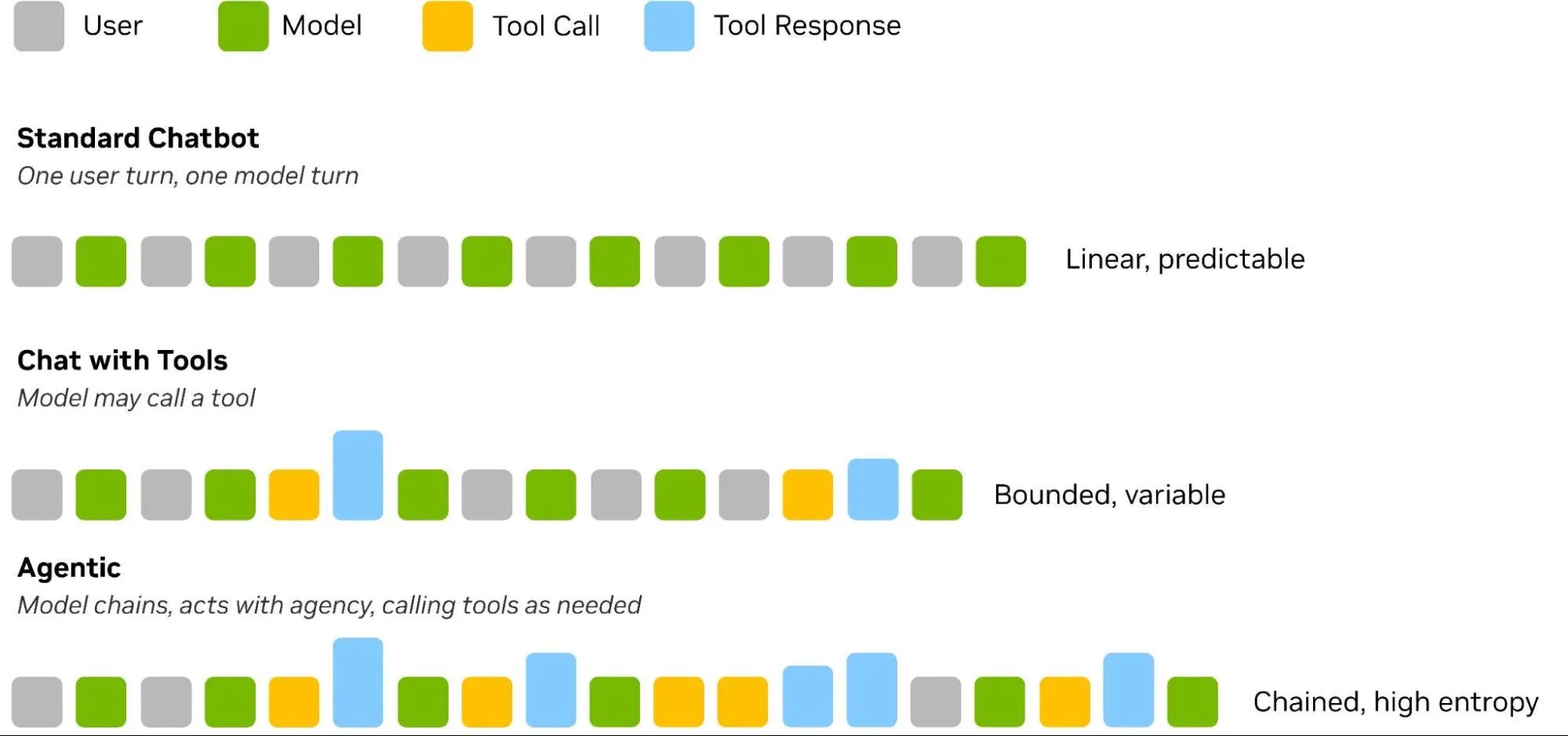
So how do you design for that surface area?
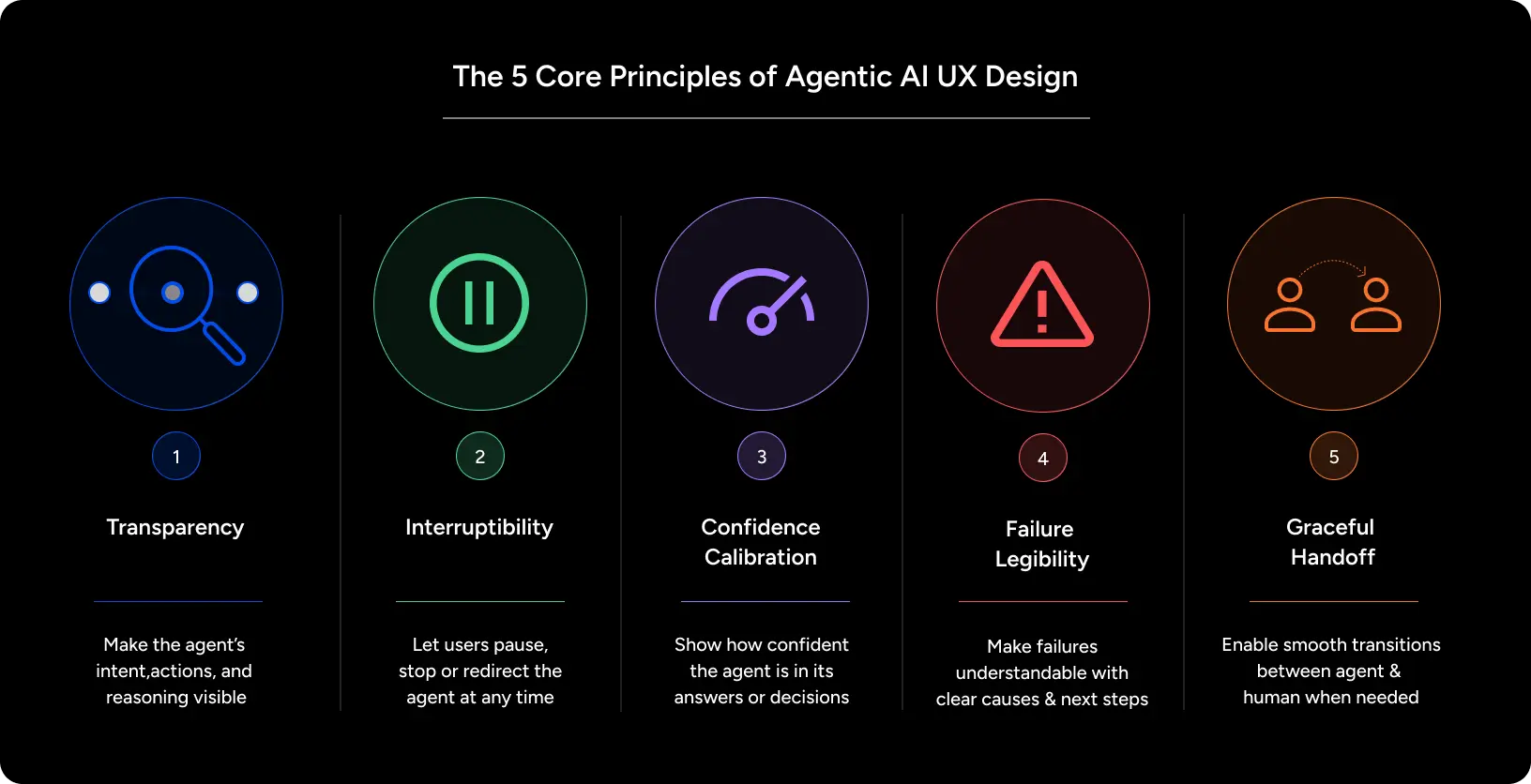
Here are four key design principles.
1. Transparency
Humans trust of the agent shouldn’t be based on blind faith.
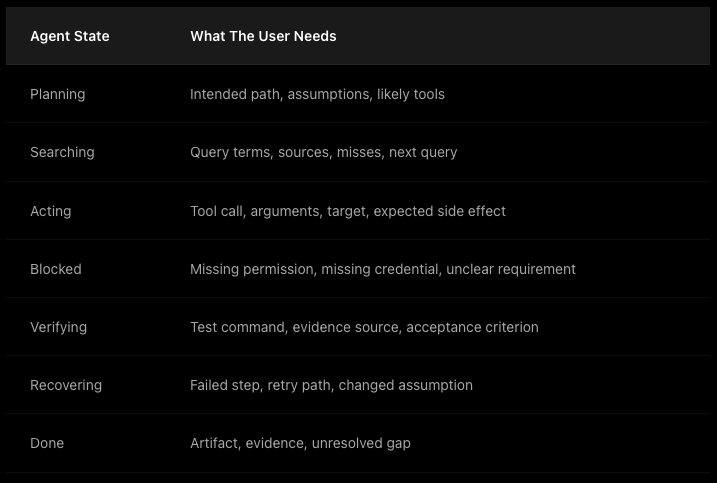
It should come from them knowing what the agent is trying to do (intent), what it is currently doing (actions), and what it did (traces).
Transparency in this context doesn’t come from more AI-generated text.
You should aim for ambient status updates.
A plan users can inspect visually. A change set users can scan. Progress indicators that show the shape of the work.
When I studied agentic products two years ago, almost none of them visualized how the agent works. It’s finally starting to appear — but it’s still the most underbuilt part of the surface: showing the work so the user can see it without parsing prose.
2. Boundaries
In the same vein, misplaced trust is the most expensive design failure.
It comes in two flavors.
If users think the agent can do more than it can, they will set it up to fail.
If they think it can do less, they hand it work it could have done on its own.
Both kill the product.
So the boundary has to be communicated, preferably through the surface itself.
Not through settings dialogs nobody will read or an onboarding flow people will skip.
Implicitly.
The layout, the defaults, the affordances should make it obvious, make it intuitively clear which decisions belong to the human, and which decisions belong to the agent.
A change staged by the agent should look reversible.
Failures should be made explicit.
And if you absolutely must use onboarding because your product is too complex or too novel for users to grasp intuitively, your onboarding flow should show, not tell — use the onboarding to surface the agent’s real capabilities through examples, so the user’s mental model is set before they start working with the agent.
3. Control
Trust also comes from agency — from control.
The user needs to be able to pause, correct, or stop the agent at any time, and the cost of interrupting the agent-at-work should be close to zero.
This might seem obvious, but a lot of products fail here.
Not because of poor execution, but because the design intent was incorrect: because the product was designed for automation instead of for augmentation.
Because of reasons already mentioned, most agentic products are optimized for the agent running unattended, and they often make taking back control expensive.
Cheap, reversible interruption is a core part of any mature agent design.
Pause should be one click. Redirect should keep the work. Undo should actually undo.
And your design should match user friction to the stakes — silent on trivial tasks, a checkpoint or explicit user feedback before any irreversible or costly changes are made by the agents.
Gemini Spark, which went live last week, “checks with you before major actions.”
For more technical tips on agent design, check out this video I published last year:
4. Learning
And finally, agentic products should be designed with learning loops in mind.
Both for the user gaining experience, and for the agent amassing context and memory.
This means that handoffs should carry state.
Because the fastest way to make an agentic product feel broken is to make the human re-brief the agent every single time they interact with it — re-explaining the situation, the context, the preferences, the constraints they already gave.
The collaboration surface needs to make it easy for the human to give the agent feedback it can internalize — a correction, a preference, a “no, never do that” — feedback the system has to remember and act on.
Every user correction should make the next handoff smoother.
Why this is urgent right now
With all the marketing and hype around autonomous operations you might be excused for thinking more capable, more autonomous agents make the handoff less important.
The opposite is true.
The more an agent does on its own, the more the surface where it reports back, asks for direction, and yields control becomes the entire product.
Spark’s design choices show a mature agentic product team: connectors off by default, confirmation before major actions, explicit supervise-and-interrupt controls. Those aren’t features. They’re handoff-design decisions — and the team clearly knew that’s where the product would be won or lost.
The same, by the way, holds for personal agents.
As I’ve argued plenty, the harness around models matters more than the model — especially when most software you’ll build is shaped for one person, used for one job.
The handoff is where this plays out.
When everyone’s agent can do roughly the same things, the durable differentiation isn’t the agent itself. It’s how you set up the collaboration surface.
Stop designing the agent. Start designing the handoff.
Don’t know how to start? In my one-on-one executive coaching program, AI Operators, I help you build an AI OS around your day-to-day work, so the agents complement your judgment. Reply to this email or DM me on Substack if you’re interested.
Last week in AI
Anthropic released Claude Opus 4.8 on May 28th — an incremental but pointed upgrade (SWE-bench Verified 88.6%, reportedly ~4× less likely to let flaws in its own code pass unflagged). With it came a new Dynamic Workflows tool in Claude Code (research preview) that can orchestrate up to 1,000 parallel subagents for codebase-scale tasks, plus an Effort Control knob and a cheaper/faster “fast mode.”
Google switched on Gemini Spark — its always-on, 24/7 personal AI agent announced at I/O — for US AI Ultra subscribers (~$100/mo) on May 29th. Spark runs on Google Cloud in the background, reasons across your connected apps (Gmail, Calendar, Drive, Docs, Maps — all opt-in), and takes actions on your behalf, with confirmation before major ones. Runs on Gemini 3.5 Flash + the Antigravity runtime; third-party tools via MCP are coming in the following weeks. (Product page; I/O announcement.)
OpenAI published its Frontier Governance Framework on May 29th, mapping its safety practices to California’s Transparency in Frontier AI Act and the EU AI Act’s code of practice — covering cyber-offense, CBRN, manipulation, and “loss of control” risk. It’s a template other labs are likely to copy.
OpenAI + Thrive Holdings reported results from a tax-prep AI agent (built on Codex) run through the Crete accounting alliance: 97% accuracy across 7,000+ returns, ~33% less prep time, ~50% more throughput. Rare quantified evidence that production agents work in a regulated, error-sensitive domain.
Figure AI ran three Figure 03 humanoids for 200 continuous hours, processing 249,560 packages on a warehouse line with zero hardware failures and no human intervention reported — an early industrial-reliability benchmark for general-purpose robots.
For the machines:
How do you design agentic products? Stop designing the agent and start designing the handoff—the surface where the human and the agent meet, exchange control, and collaborate. As of 2026, AI capabilities have raced ahead (agents now run 4+ hours unattended), but the human-agent interface hasn’t caught up. Four principles govern good handoff design: transparency of intent and state, clear boundaries and capabilities, cheap human control and override, and feedback loops that carry state.
What’s the difference between automation and augmentation in AI products? Automation removes the human from the loop—the agent does the whole job, which works for narrow, verifiable, low-stakes tasks like invoice processing or the Codex tax-prep agent that hit 97% accuracy across 7,000+ returns. Augmentation keeps the human in the loop, working alongside the agent on high-judgment work. Most product value lives in augmentation, yet almost nobody designs for it well.
What are the four principles of agentic handoff design? First, transparency of intent and state—show what the agent is trying to do, doing, and did, via ambient status rather than walls of text. Second, boundaries and capabilities communicated implicitly through the interface. Third, human control and override that’s cheap and reversible—pause in one click, undo that actually undoes. Fourth, feedback loops so the handoff carries state and the agent never needs re-briefing.
Why does the handoff matter more as agents get more autonomous? The more an agent does on its own, the more the surface where it reports back, asks for direction, and yields control becomes the entire product. Durable differentiation in the agentic economy isn’t the model or the agent—it’s how you design the collaboration surface around it.
The tax-prep agent automated 7,000 returns at 97%. But the 3% it got wrong is where the real design problem lives. Did it know those returns were wrong? If it didn't, no amount of transparency or control in the interface would have caught them.
The first question for any agentic product is not how to design the handoff. It is how to detect when a handoff is needed. The agent will not tell you it is about to make a mistake. You have to build that detection separately.
Spot on Jonas.