
The AI workspace cookbook
Five ingredients, zero coding, and recipes people are actually using

I’m wrapping up the first AI Operators cohort this week, and one thing became clear: even though my AI workspaces gives me back about 10 hours a week, my setup isn’t the right starting point for everyone.
So I went looking at what people with less technical backgrounds are doing.
Writers, coaches, consultants, marketers—folks building and using AI workspaces without a decade of engineering experience.
What I found surprised me: some of the most impressive setups require zero coding.
And unlike app-based AI systems like ChatGPT or Gemini, with computer agents you have complete control over the context in which the agent operates.
This is something you can leverage to let AI agents do a lot of work for you.
Computer agents—a five-course menu
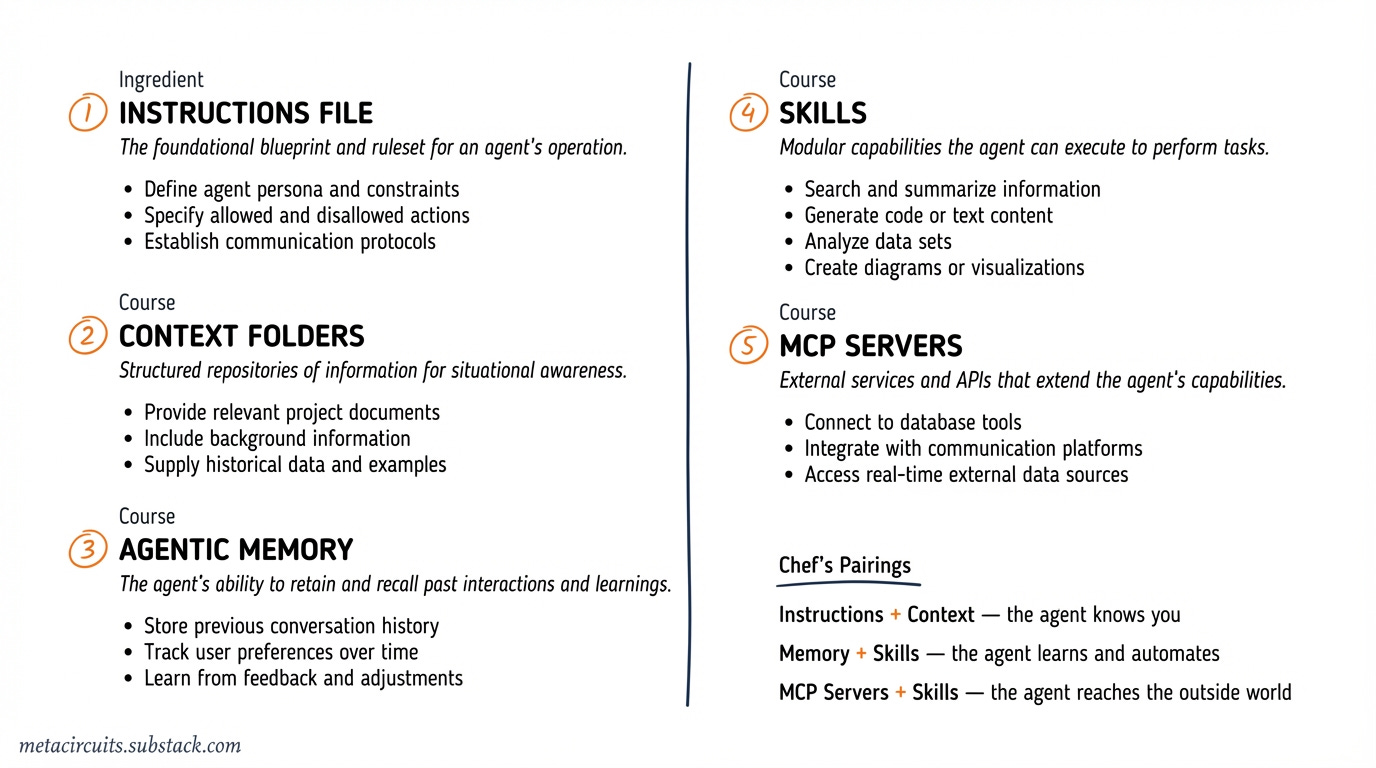
To start, most AI workspaces consist of five elements:
A main instructions file that is read in by the AI agent each time you start a new session. Depending on your AI tool, this will be a CLAUDE.md, GEMINI.md, AGENTS.md, .cursor/rules/*.mdc, or a .windsurfrules file—although most systems are converging on AGENTS.md, which has been adopted as an open standard.
Context folders with machine-readable files that can provide anything from goals (what are you looking to achieve in this workspace), background (who you are and what you want to do), samples (examples of similar outputs or results you want the AI to replicate or build on), records (past outputs you are looking to reference or improve), and anything else you want the AI agent to know.
Agentic memory that lets the workspace learn and grow with you. Memory helps the agent remember your preferences, your decisions, and patterns it discovers working with and for you. Memory can be as simple as a markdown file that the agent updates itself, or as sophisticated as a vector database that organizes what it learned while you sleep—all data stays on your machine.
Skills that give your AI agent reusable workflows it can execute on command. A skill is a set of instructions—written in plain text—that tells the agent how to perform a specific task: summarize research, draft a newsletter, prepare for a meeting. Instead of retyping the same detailed prompt every time, you invoke a skill by name and the agent follows the recipe.
MCP servers that connect your AI agent to the outside world. On its own, a computer agent can only work with whatever is on your machine. MCP servers give it secure access to external services—your CRM, your knowledge base, web search, academic databases—through a standardized protocol that works across different AI tools.
Those are the five courses on the menu.
Now let’s look at some of the recipes people are using to prepare these dishes.
Recipes for instructions
The instructions file is the foundation of every AI workspace.
It’s where you tell the agent who you are, how you work, and what rules to follow.
The simplest version is a markdown file with a few lines about your role and goals.
One viral setup uses just three folders—inbox, context, outbox—and a CLAUDE.md file with basic rules. The morning prompt is literally: “Let’s start our day.” The agent scans your inbox, checks your goals, and prioritizes your tasks. At the end of the day, you ask for a summary.
The whole thing is set up in Claude Cowork and requires zero technical skills.
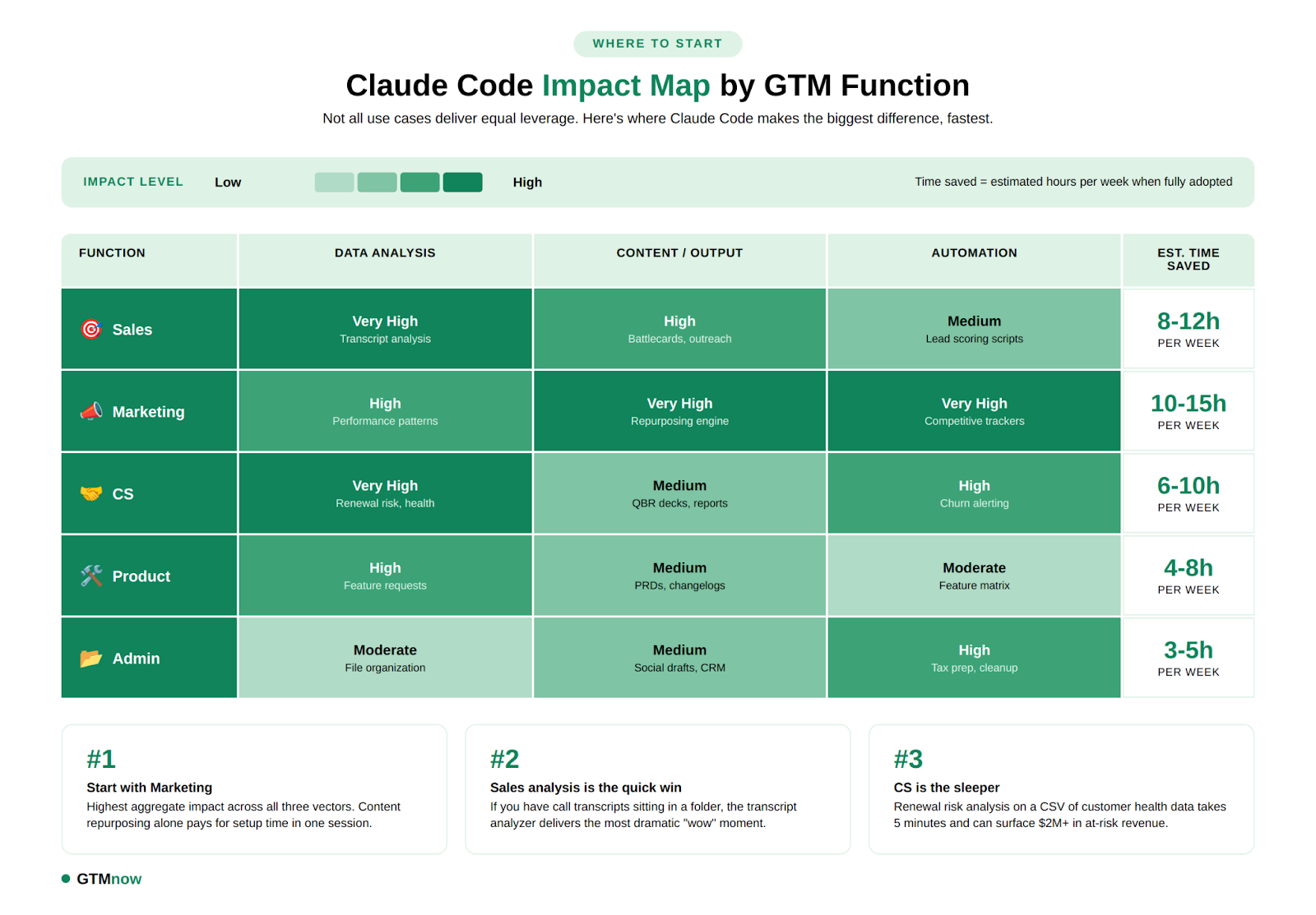
The GTM Newsletter documented a more specific approach for marketing teams: a CLAUDE.md packed with voice guidelines that auto-loads at session start, ensuring every piece of content sounds consistent. One webinar transcript goes in—blog post, Twitter thread, LinkedIn posts, email subjects and an executive summary come out, each saved to its own folder.
Gemini CLI takes this further with a three-level hierarchy: a global GEMINI.md for universal preferences, a project-level one for specific work, and sub-directory overrides for context-specific behavior.
If you’re in the Google ecosystem, the Google Workspace MCP lets Gemini read any Google Doc by pasting a link—no copy-paste needed—and it’s free.
Windsurf goes the furthest with four rule types so instructions load based on what you’re working on rather than dumping everything into memory upfront. Smart context management for people with complex workflows.
Recipes for context
Context is what separates a generic chatbot from an agent that actually knows you.
Lenny Rachitsky (3M+ subscribers) records voice notes during walks and drops them into his Claude Code workspace alongside style-guide samples (so do I, by the way). The agent organizes his rambling recordings into themes, matches his writing voice, and produces 1200-word articles plus LinkedIn posts from the same raw material.
A newsletter writing agent tutorial by Mejba takes context even further with three JSON files: a voice-dna.json (tone, sentence patterns, vocabulary restrictions), an audience.json (reader persona, pain points, reading context), and a business-info.json (positioning, goals, CTA focus). The result: scaling from 3 to 7 newsletter clients, with editing time dropping from 60 to 15 minutes per piece.
But context isn’t just for writing. Teresa Torres, a product discovery coach, structures her Obsidian vault into five directories—context/, notes/, research/, tasks/, writing/—each with its own purpose. She launches Claude Code in whichever folder matches what she’s doing: the tasks folder for morning prioritization, the writing folder for content generation, the research folder for synthesis. Same agent, different behavior—determined entirely by which folder she opens it in.
This is the simplest and most underrated context pattern: your directory structure is the context. No JSON files, no configuration—just organize your files the way you think, and the agent adapts.
It’s also what I do for this newsletter—context folders with research, style guides, examples and brand guidelines. The newsletter you’re reading was researched, drafted and illustrated entirely within my Claude Code workspace.
Recipes for memory
Memory lets your AI workspace grow with you.
It can be managed both explicitly and implicitly. I tend to do both.
The simplest approach is file-based—for Claude Code for example, either add things to your CLAUDE.md or a “learnings.md”, or use Claude Code’s built-in auto-memory directory. When you turn on auto-memory in Claude Code, it will use that directory to store notes about your preferences in plain markdown files on your machine.
You tell it “always use British spelling” once, and it remembers.
Eleanor Konik uses git as memory—Claude commits after every change to her 15-million-word Obsidian vault, creating a full history with rollback. She processed her entire vault overnight: the agent created an index file, surfaced unconnected notes, and fixed encoding issues across hundreds of files.
But the most sophisticated memory system I know of is Claudia, an open-source AI chief of staff built by the awesome Kamil Banc. It runs a memory daemon with vector embeddings and overnight consolidation—meaning it organizes what it learned during the day while you sleep.
Claudia tracks your commitments (auto-captures promises, generates reminders), monitors relationship health (contact frequency, cooling detection), and even learns your judgment patterns. Tell it “revenue work beats internal cleanup” once, and it applies that rule consistently across all future morning briefings.
Install with a single command: npx get-claudia (requires Claude Code).
Recipes for skills
Skills turn repeatable workflows into one-command operations.
As I wrote in Skills vs MCP Servers, a skill is just a set of instructions in a markdown file. No programming. You write what you want the agent to do step by step, save it in the right place, and invoke it by name.
But better still—as one of my AI operators participants found out—is to let Claude write the Skill for you, and review the parts you care about most. It will be faster, more thorough and will give you better control down the road when the outcome of the workflow isn’t exactly what you wanted first time round.
Notion’s design team created custom skills for reusable design patterns—their designers haven’t written a single line of front-end code in three months. The skills handle prototyping directly in Next.js, bypassing the design-to-engineering handoff.
Joe McCormick, a visually impaired engineer, built skills for accessibility tools that mainstream products don’t offer—keyboard-driven workflows for image descriptions, spell-checking, and content summarization. He built Chrome extensions in under 25 minutes using Claude Code.
This is what I’ve previously called disposable software—tools built for an audience of one—although “personal software” is probably a better term.
There’s a growing skills ecosystem with hundreds of community-built skills for everything from copywriting to data analysis. Anthropic maintains an official collection with skills for Word documents, PowerPoint, Excel and more.
Recipes for MCP servers
MCP servers give your agent superpowers it can’t get from local files alone.
For example in this no-code research setup four MCP servers—web intelligence, academic databases, arXiv papers, and a persistent memory graph—are connected to Claude Desktop by editing a single configuration file. No coding required. The result: citation-backed research with source attribution and memory across sessions.
Or in my own cold outreach workflow, where I combine an Apollo MCP server (for lead and company data), an Attio CRM server (for pipeline management), and a desk research server (for company intelligence).
One slash command—/lead-source Philips—triggers the entire sequence: company research, contact lookup, personalized email drafts, CRM updates. What used to take 30 minutes per contact now takes two.
The MCP ecosystem now includes hundreds of pre-built servers. Notion, GitHub, Slack, Google Workspace, databases—there’s probably already a server for whatever tool you use daily. And if there isn’t, your computer agent can build one for you.
Start with the simplest recipe
If all of this feels like a lot—it isn’t. You don’t need all five ingredients on day one.
Start with just the first one: create a folder, create an instructions file together with your agent, and tell your agent “let’s start our day.”
That’s the recipe Daniel Rosehill uses for personal development—one workspace per life domain, each with its own simple CLAUDE.md.
Then add context files as you go. Then a skill or two. Then maybe an MCP server.
The beauty is that each ingredient compounds the others. An instruction file with good context files is already powerful. Add memory and it gets smarter over time. Add skills and you stop repeating yourself. Add MCP servers and your agent is now able to reach beyond your machine.
This is how I started—with a simple voice-capture second brain that has since grown into 4 different AI workspaces, each with their own instructions, context, Skills and MCP servers.
It didn’t happen overnight. It happened one recipe at a time.
Still not sure? This is exactly what we build together in AI Operators—your personal AI workspace, configured for your business or day-to-day. Four 1-on-1 sessions. No technical background needed. Reply to this email if you want to get started.
Last week in AI
President Trump ordered all federal agencies to stop using Anthropic on February 27, after the company refused Pentagon demands to remove guardrails around mass surveillance and autonomous weapons. In a public statement, Anthropic said its two requested exceptions represent cases where “AI can undermine democratic values.” Defense Secretary Hegseth designated Anthropic a “supply chain risk”—a label normally reserved for foreign adversaries—and agencies have six months to phase out all Anthropic technology. Hours later, Sam Altman announced OpenAI had struck its own deal to deploy models on the Pentagon’s classified networks.
Perplexity launched Perplexity Computer on February 25: a $200/month autonomous digital worker that creates and executes entire workflows, running for hours or months at a time. It orchestrates 19 different AI models, each assigned to tasks matching their strengths: Opus 4.6 for reasoning, Gemini for research, Nano Banana for image generation, Veo 3.1 for video, Grok for lightweight tasks, and ChatGPT 5.2 for long-context recall.
Google rolled out Nano Banana 2 on February 26, making pro-grade AI image generation the default across the Gemini app, Google Search in 141 countries, Google Ads, Google Lens, AI Studio, and the Gemini API. The model combines Nano Banana Pro quality with Flash speed, supports near-perfect text rendering, maintains character consistency for up to five subjects, and generates images from 512px to 4K resolution.
Samsung announced its strategy to transition all global manufacturing operations into “AI-Driven Factories” by 2030, integrating agentic AI across the entire value chain from logistics to quality inspection. The plan includes digital twin-based simulations, specialized AI agents for production, and phased deployment of humanoid manufacturing robots.
It’s so interesting how "zero-code" setups are becoming the most impressive ones. I don't know much about the technical side, but the idea of using a simple file to give an AI agent total context without engineering experience sounds like a game-changer! :)
Do you think these AGENTS.md files will eventually make traditional prompting obsolete, or will we always need that manual guidance?
We aren't in the same niche, but I really enjoy your content, so I’ve subscribed and would be happy to support each other!
Jorrit